01Collecting

Identify it, price it, know where it sits.

Every card you own, named to the exact printing, priced against real sales, and filed where you can find it. Every screenshot on this page is the real app.

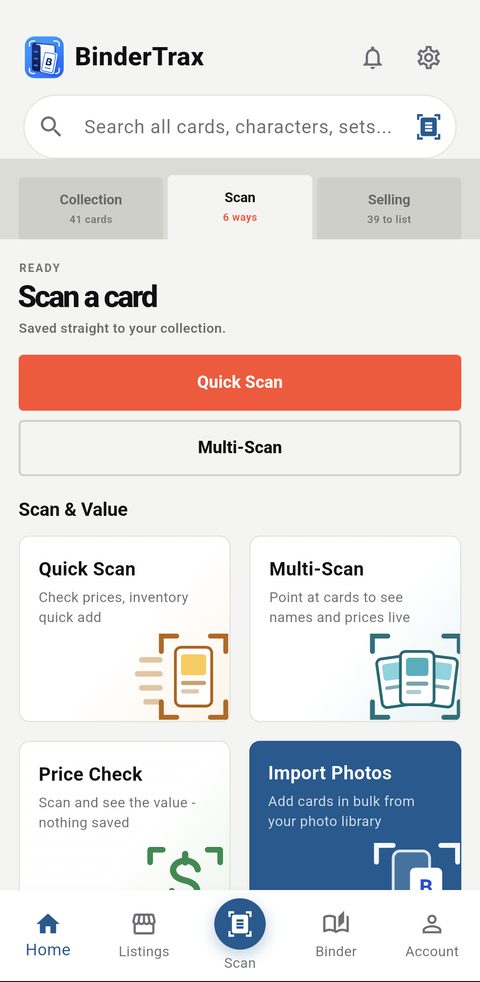
Four ways to scan

Quick Scan for one card at a time. Multi-Scan to identify a whole tabletop from a single photo. Price Check when you want the number and nothing saved. Import Photos for a batch already sitting in your camera roll. The card is detected and read on the device, then checked against a real reference image before anything is called a match.
01Free and up
The BinderTrax Scan tab showing Quick Scan, Multi-Scan, Price Check and Import Photos

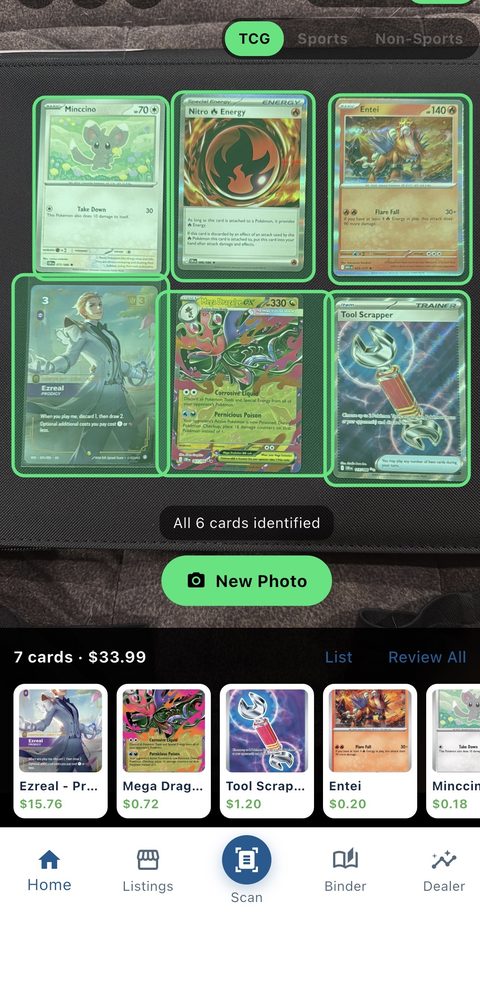
A whole tabletop in one photo

Lay the cards out, take one picture, and every card in the frame is found and identified separately. No card-at-a-time cycle, no waiting between shots.

02Free and up
Multi-Scan identifying six cards in a single photo

Prices you can check

Sports and non-sports values come from real completed eBay sales, shown as dated rows you can read one by one rather than a single number you have to take on faith. TCG values come from TCGplayer market data. The app says which of the two you are looking at, and says so again when the data behind a number is thin.

03Free and up
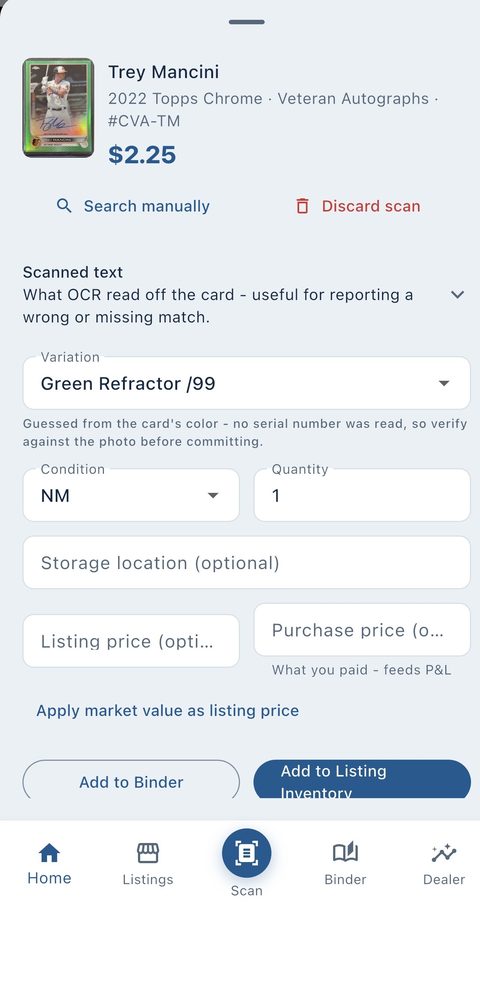
A Quick Scan result showing a serial-numbered parallel and its market price

Serial numbers and parallels

A serial stamped on the card is read off it and used, so a /99 is never priced as a base copy. Where the parallel is named on the card it is matched by name; where it is not, the print run identifies it.

04Free and up

Priced by the exact finish, not the card

The foil is a different card to the market, and a price that ignores that is the wrong price. BinderTrax keeps a separate market price for every printing — foil, non-foil, reverse holo, 1st Edition and each numbered parallel — so a Seventh Edition Telepathy reads $111.99 foil against $1.98 non-foil rather than splitting the difference. Your Binder total is built the same way, copy by copy.

05Free and up

Every copy, on its own terms

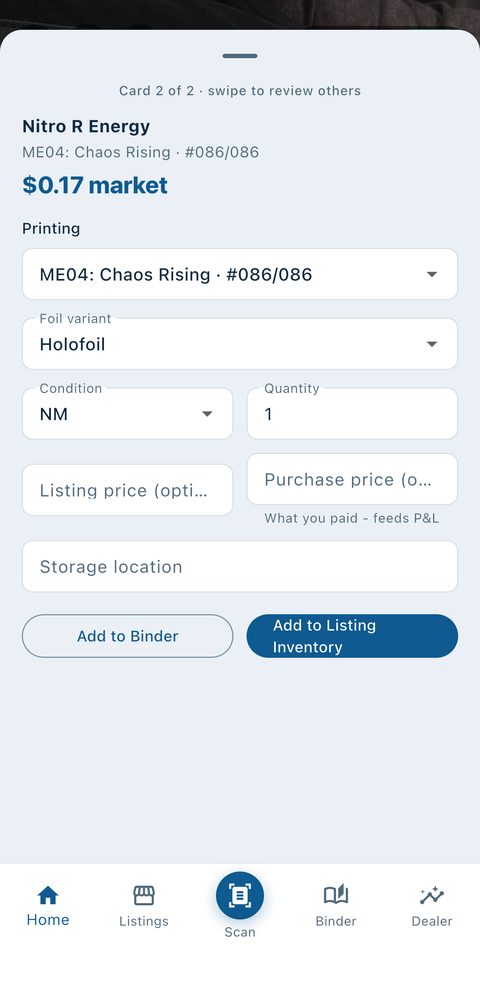
Printing, foil variant, condition, quantity, storage location, what you paid and what you want for it, recorded per copy at the moment you add it rather than reconstructed later. Two copies of one card in different conditions stay two different things.

06Free and up
The scan review sheet with printing, condition, listing price and purchase price

A binder that looks like a binder

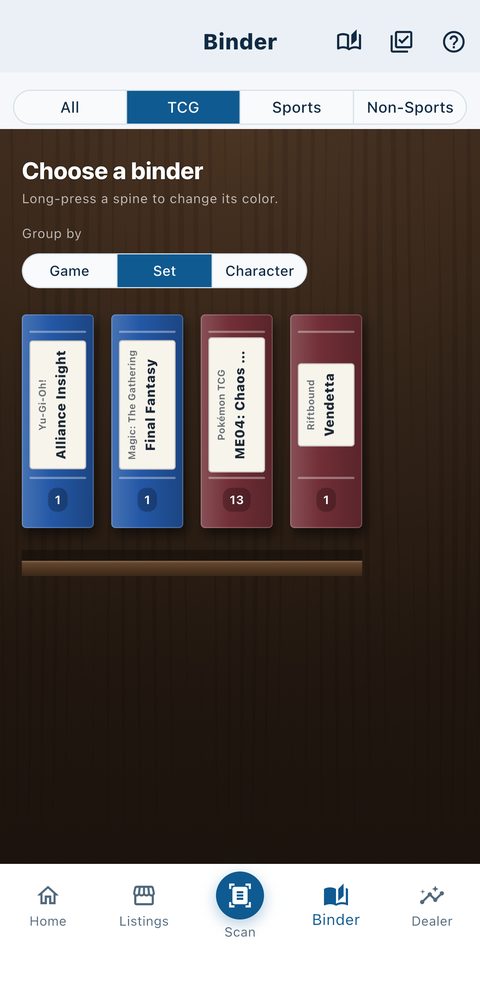
Nine-pocket pages on a shelf, grouped however you actually think about your collection: by game, by set, by character, or by insert. Drag a card to a different pocket and it stays there.

07Free and up
The BinderTrax bookshelf with binders grouped by set

Set checklists

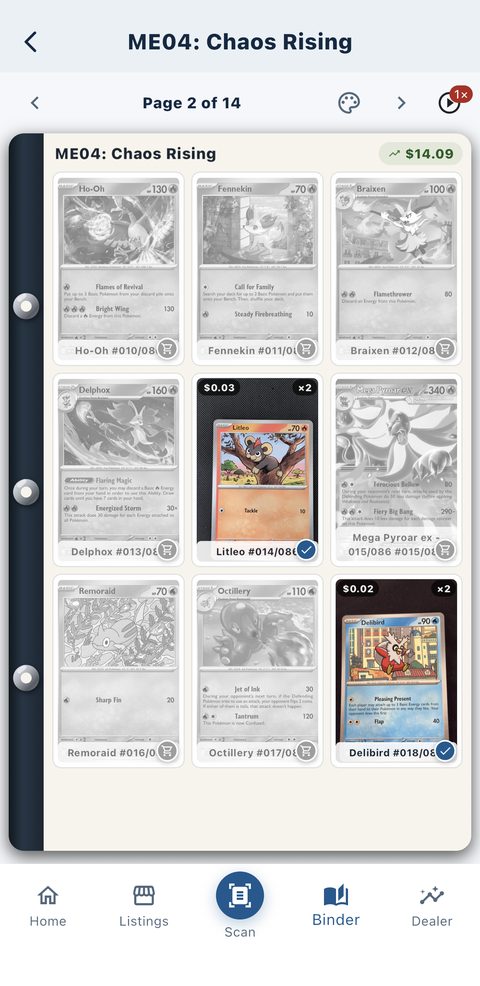
Owned cards in colour, missing cards in outline, and the value of what you hold in that set printed on the page header. No spreadsheet.

08Free and up
A set page showing owned cards in colour and missing cards in outline

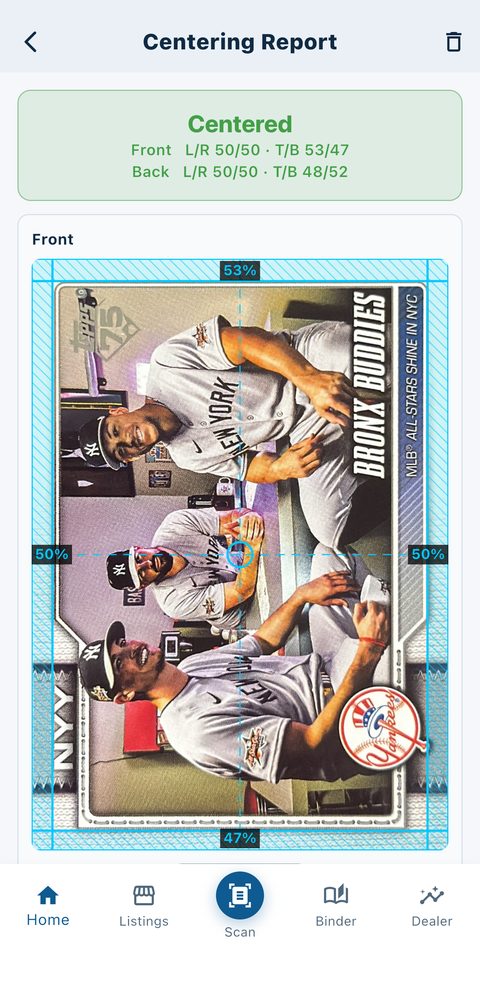
Centering, measured

Photograph the front and back and the printed border is measured on both, with the bands drawn on your own photo so you can see exactly what was measured. If a line is off, drag it and the numbers follow. If the card has no measurable border, it says so instead of inventing a figure.

09Free and up
A Centering Report showing measured border bands and the left/right and top/bottom split

23 trading card games, plus the rest

Pokémon, Magic, Yu-Gi-Oh, One Piece, Lorcana, Digimon, Riftbound, Star Wars Unlimited and more, alongside sports cards, non-sports cards and Funko Pops. One binder, not one app each.

10Free and up

PokeTrax

A living Pokédex that fills in as you scan: every species you own, the best copy of each, and the ones you have never pulled.

11Free and up

Buy and want lists

Two lists kept apart on purpose: cards you want for the collection, and cards you want to buy for resale. Both link straight out to a search for that exact printing.

12Free and up

Collection value over time

A line, not just today's number, and it plots how many cards you held on each day beside the value. A collection that went up because you bought more is not a collection that went up.

13Collector and up

Alerts

Told when a card you own moves in price, and when a set you collect is about to land. Opt in per kind; nothing is sent until you ask for it.

14Collector and up

It tells you when not to trust the price

Every app shows a market value. BinderTrax lists the recent sales it averaged so you can check them yourself, flags the quotes upstream data makes unreliable, and labels a partial total as partial instead of passing it off as complete.

15Free and up