03The Portal

The same account, at a desk.

portal.bindertrax.com runs in a browser. Scan a shoebox in batches, review each card in a grid, set the eBay terms once for the whole batch, and publish — with the photos coming from a phone, a card scanner, or the files already on the machine.

In beta. It uses the same account as the app — sign in with the email and password you use there, or with Google or Apple.

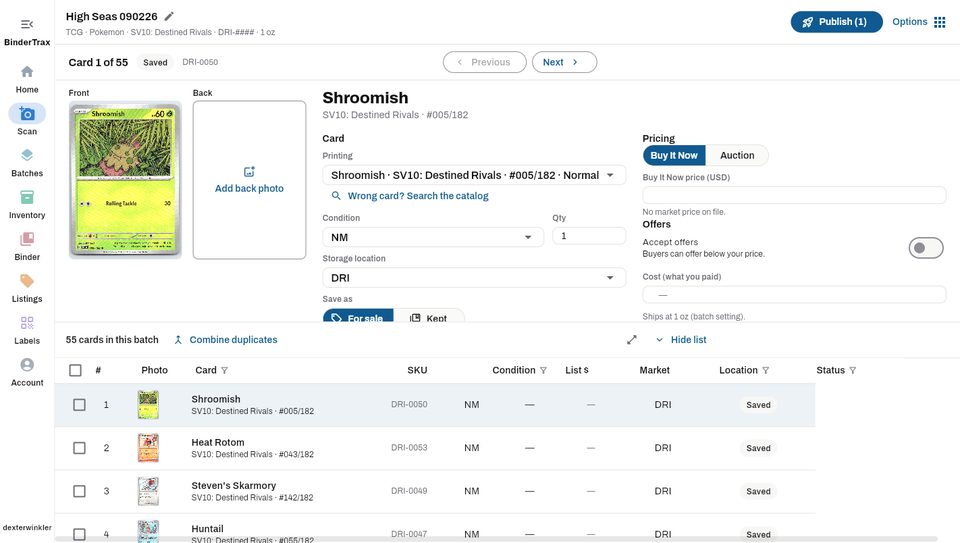
A scan batch open in the BinderTrax portal: the card being reviewed up top with its front photo, printing, condition, location and pricing fields, and the batch as a table below

The portal at a desk, 1440 pixels wide. Real screenshots, signed in.

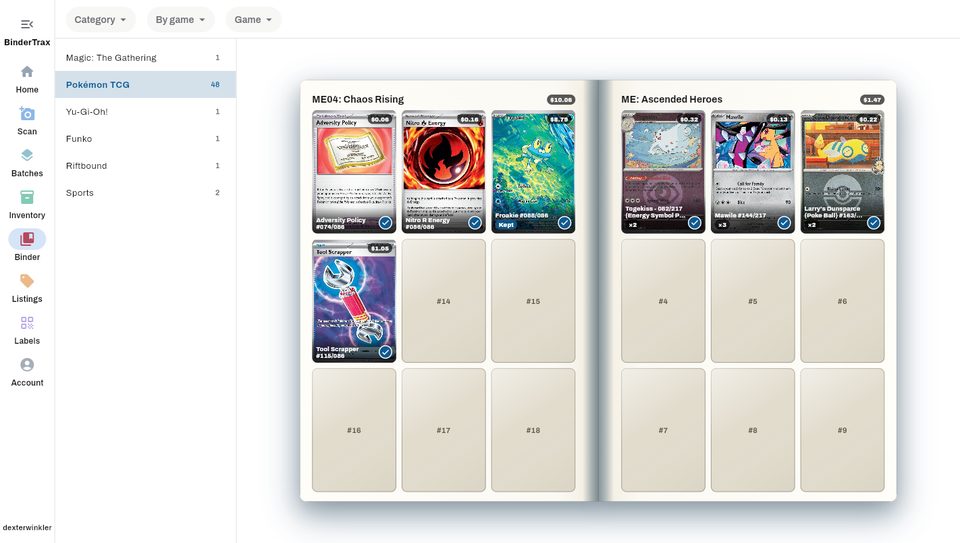
The Binder in the portal: a two-page spread of ME04: Chaos Rising and ME: Ascended Heroes with owned cards, quantities, and each page's value
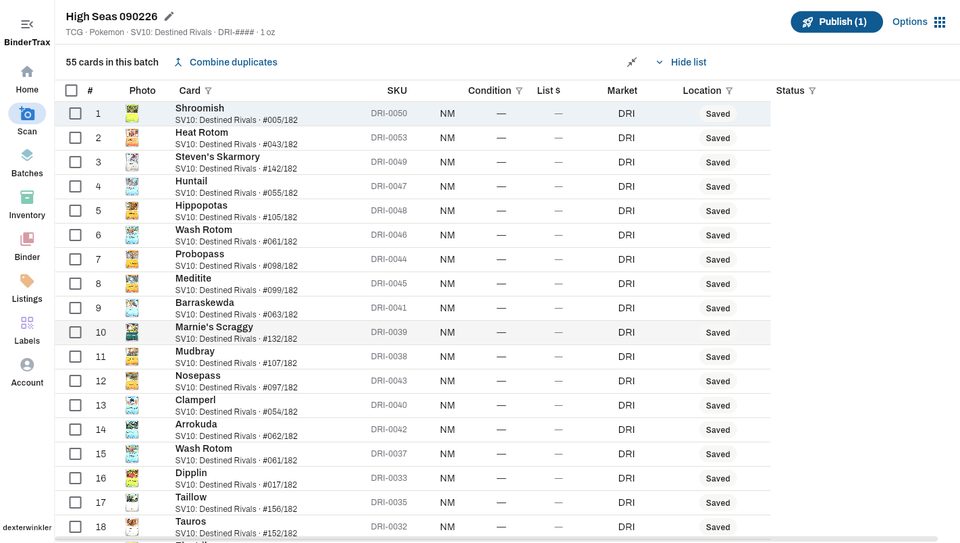
The batch table taking the whole window, one row per card with SKU, condition, list price, market, location and status

A batch is set once and scanned against

Category, game, set, condition, storage location, a SKU prefix, a shipping weight, and whether the cards are for sale or for the Binder. Name it, and come back to it tomorrow. Cards save as they identify, so the review table edits rows that are already in inventory rather than staging ones that are not.

01

Photos from anywhere

Upload from the machine, or open a QR code on a phone and send photos straight into the batch while they identify on the desk. A card scanner works too, through a small helper that watches the folder it writes to and can cut several cards out of one page.

02

A grid you can work in

One card up top with every field in columns and Previous and Next between them; the whole batch as a sortable, filterable table below, with a checkbox per row and a bulk editor for the ones you tick. Once every card is approved the table takes the window, tightened so more of the batch fits. Text size is yours to choose.

03

Listing terms on the batch

Shipping, payment and return policies, the eBay store category, and the package weight, chosen once for everything the batch produces. Any single card can disagree. Item specifics are eBay's own, per category, prefilled from the card.

04

Publish three ways

A listing for each card, a Choose Your Card variation listing for a batch that names a set, or a mixed lot from the cards you tick. Duplicates in a batch combine into one row with the quantity, by card, condition, finish and box.

05

The Binder, in a browser

Your shelves, grouped by game, set, insert or character, with the same category and game filters as the app. A two-page spread that turns on a desktop; a vertical scroll of the same pages on a phone. Missing cards show in outline against the set's checklist.

06

Inventory, listings and labels

The inventory table with filters, an edit dialog and CSV export; Manage Listings as it is in the app; and label printing with a preview at real size, zoomable, for thermal rolls and Avery sheets.

07

Import from Card Dealer Pro

A CDP export CSV resolves each confirmed row to a catalog card and saves it into the batch with the batch's own settings, so a shoebox already identified there is not scanned twice.

08